A control surface for Claude Code

Drive Claude Code from your Stream Deck — and every screen you own.

A Windows app turns an Elgato Stream Deck into mission control for a Claude Code session, and serves the same live session to your phone, tablet, Mac, and any browser.

Runs on your own Windows PC and connects directly over your network — no account, no cloud in the middle.

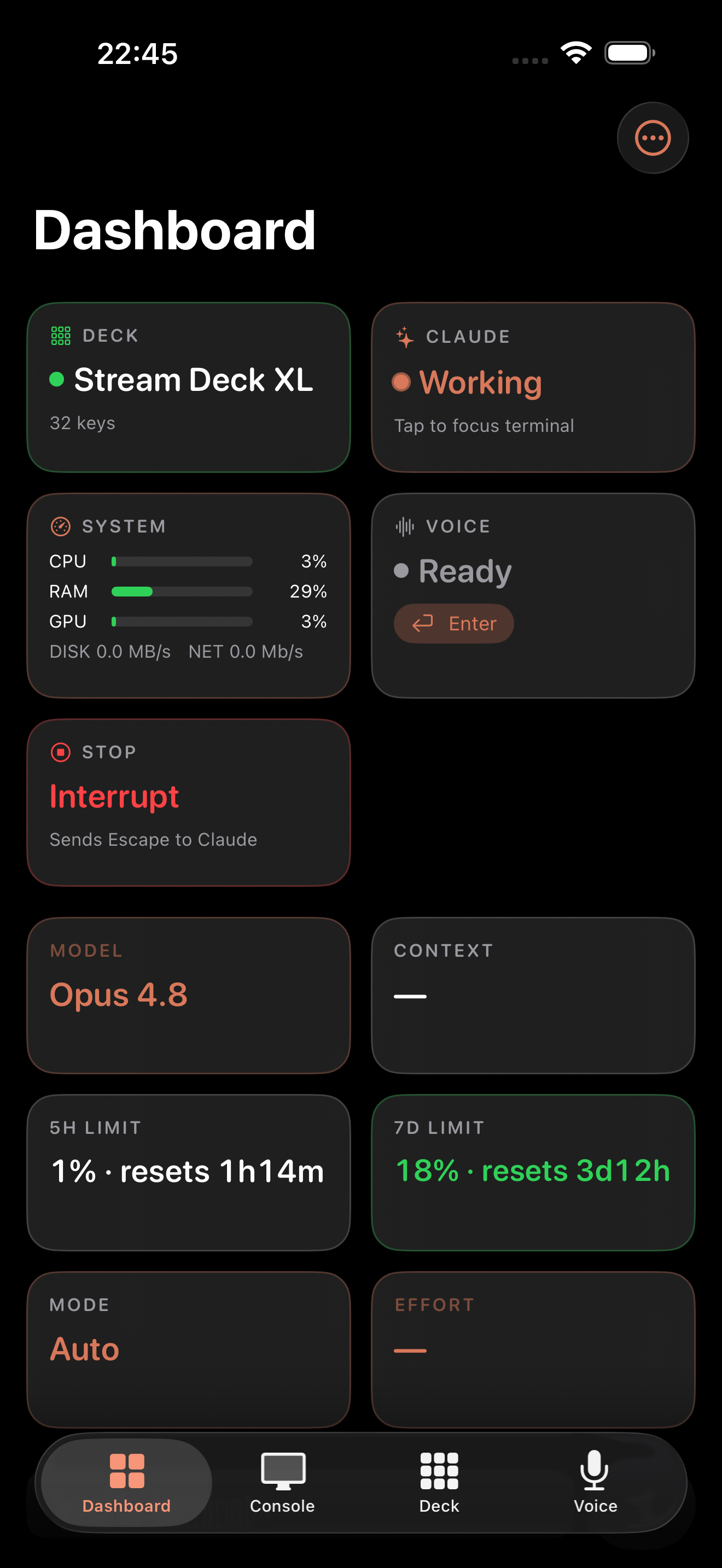
Code Deck dashboard on iPhone showing Claude status, context usage, and live system stats

Everything, from across the room

A full remote for your Claude Code session — no need to be at the keyboard.

📊

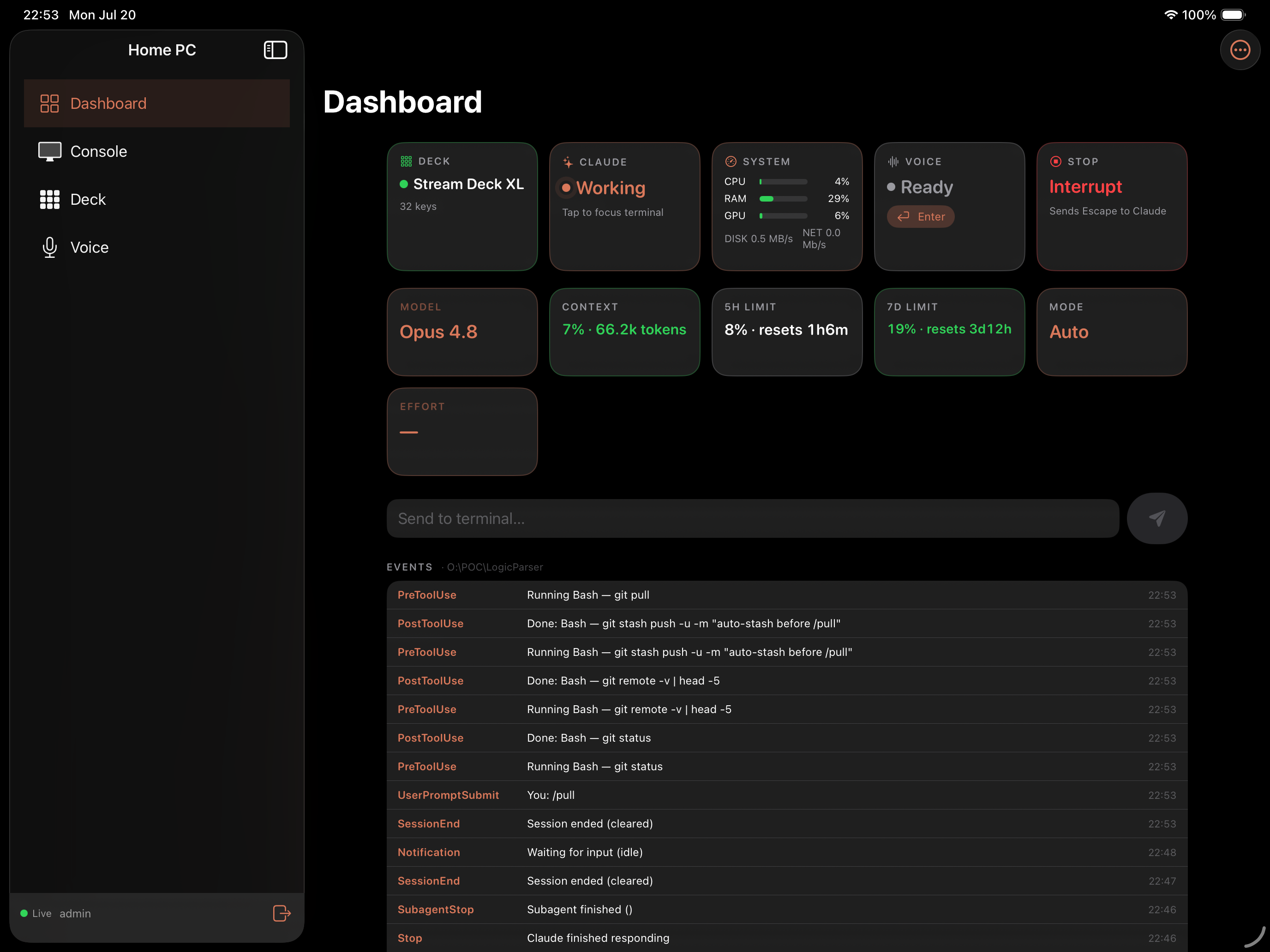
Live dashboard

Claude's status, context usage, 5-hour and daily/weekly limits, and live CPU, RAM, disk, network, and GPU stats.

⌨️

Send & control

Type to the terminal, press Enter or Escape, and run model, mode, effort, git, and skill pickers plus your command macro pad.

🎛️

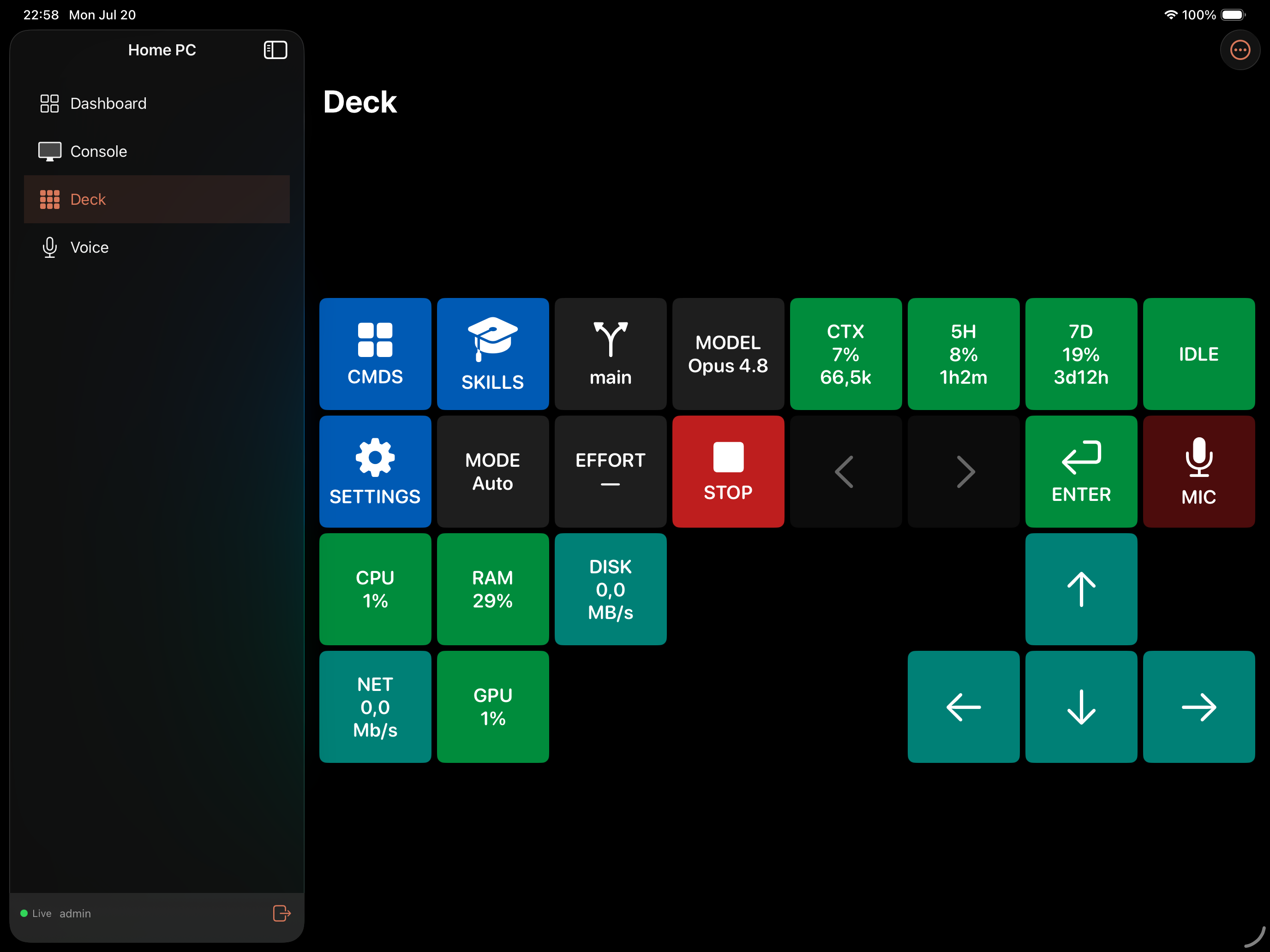
Deck mirror

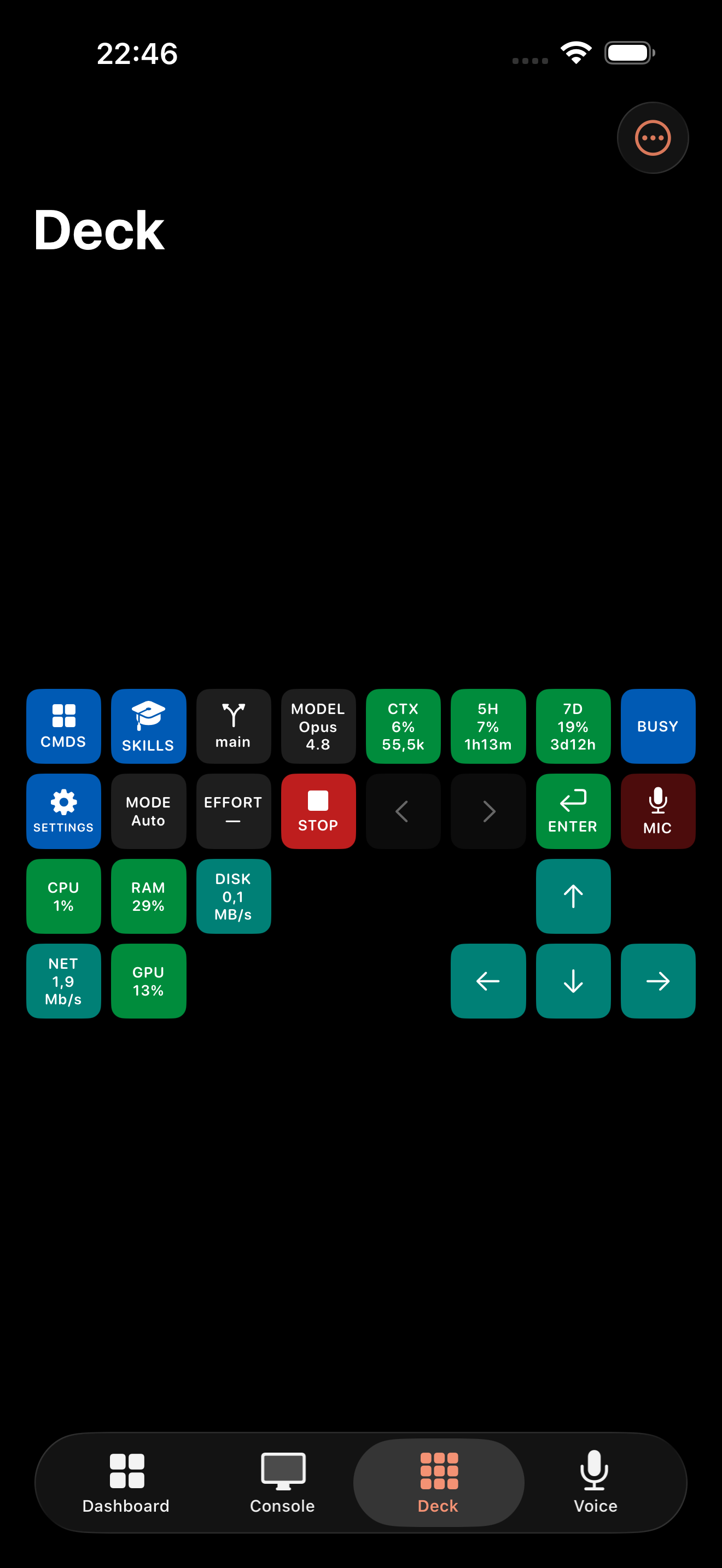
A full-screen mirror of your Stream Deck's keys. Tap any key to trigger it, exactly like the hardware.

🖥️

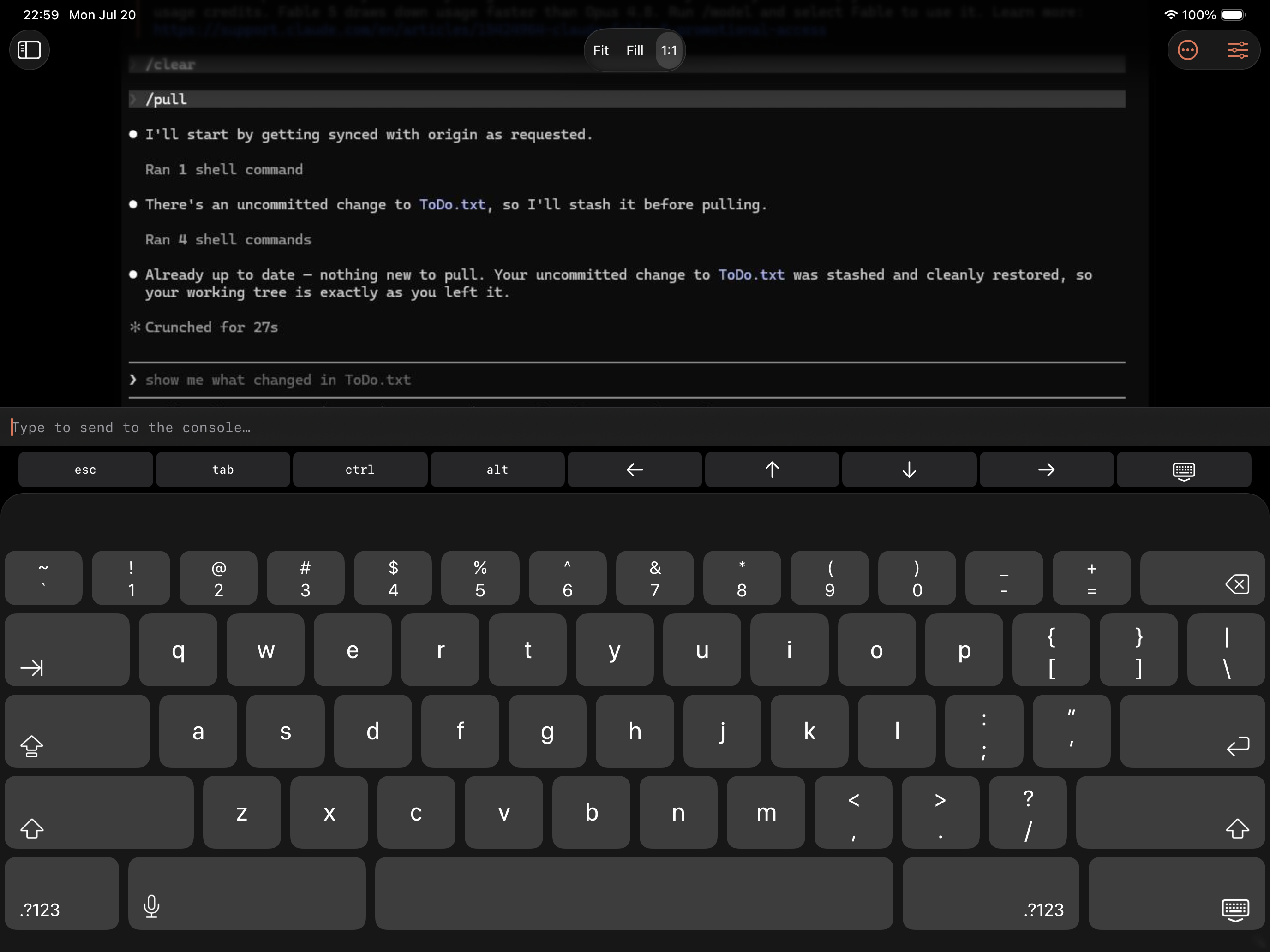
Live console

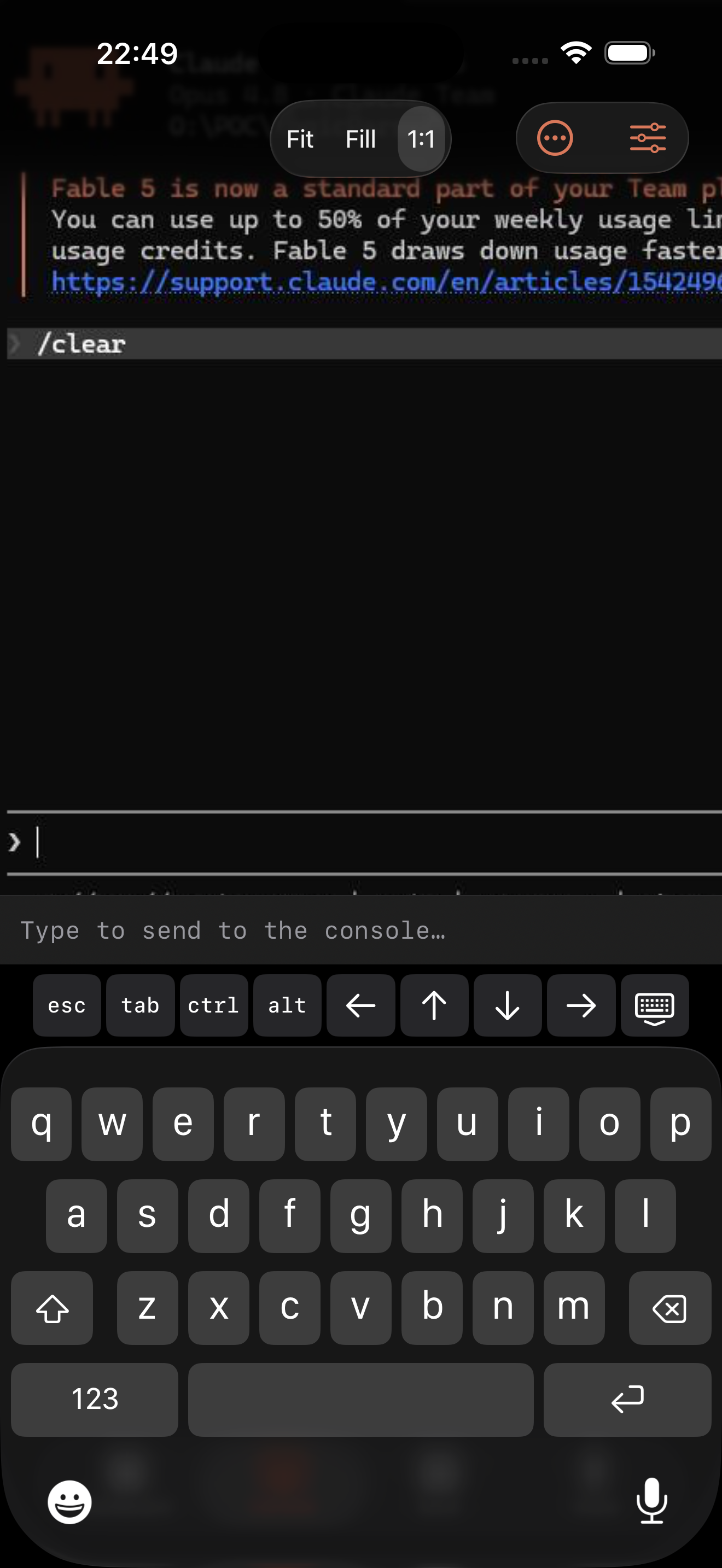
Watch a live view of the terminal and drive it with mouse and an on-screen keyboard that has the special keys a terminal needs.

🎙️

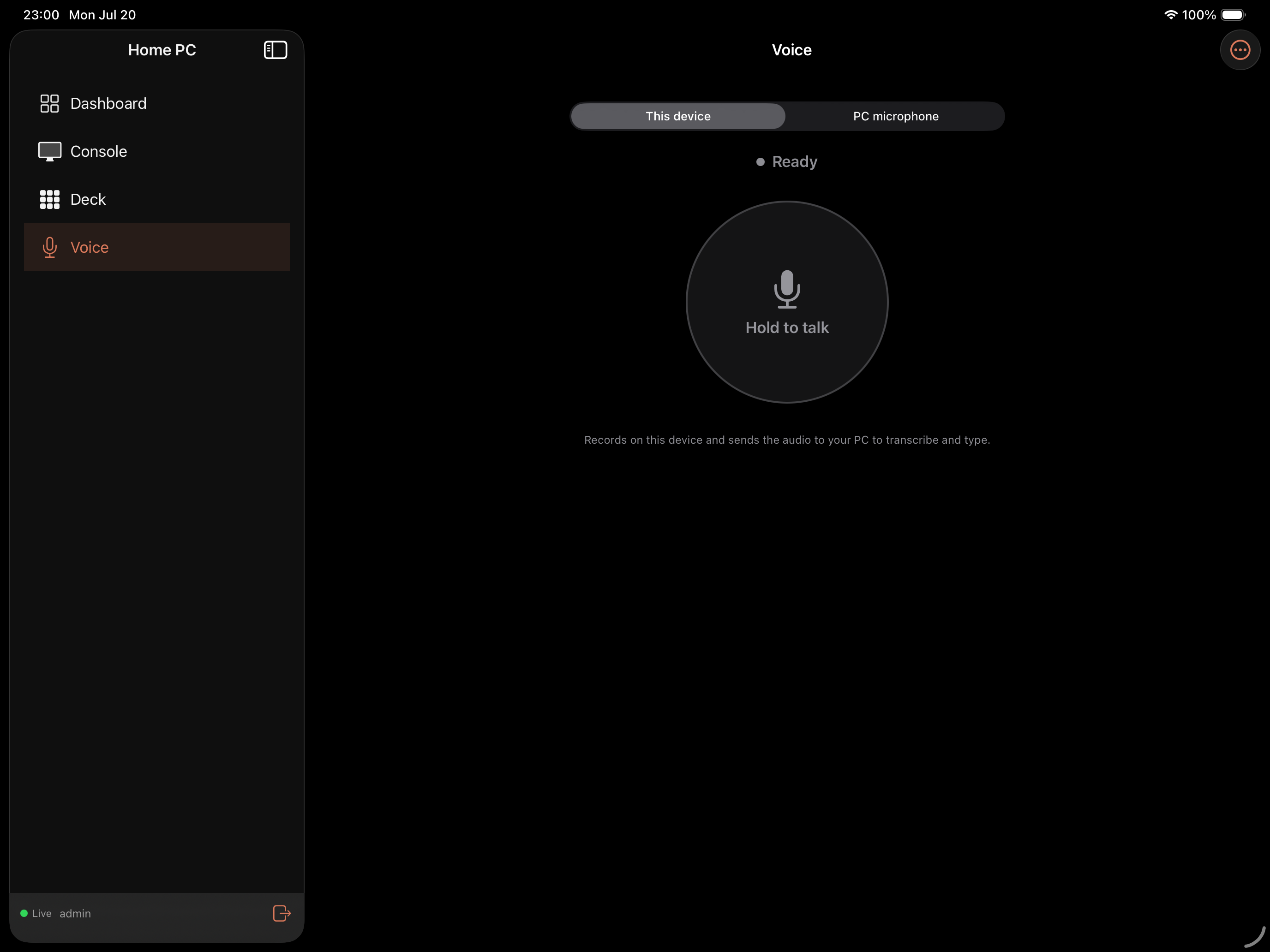
Voice input

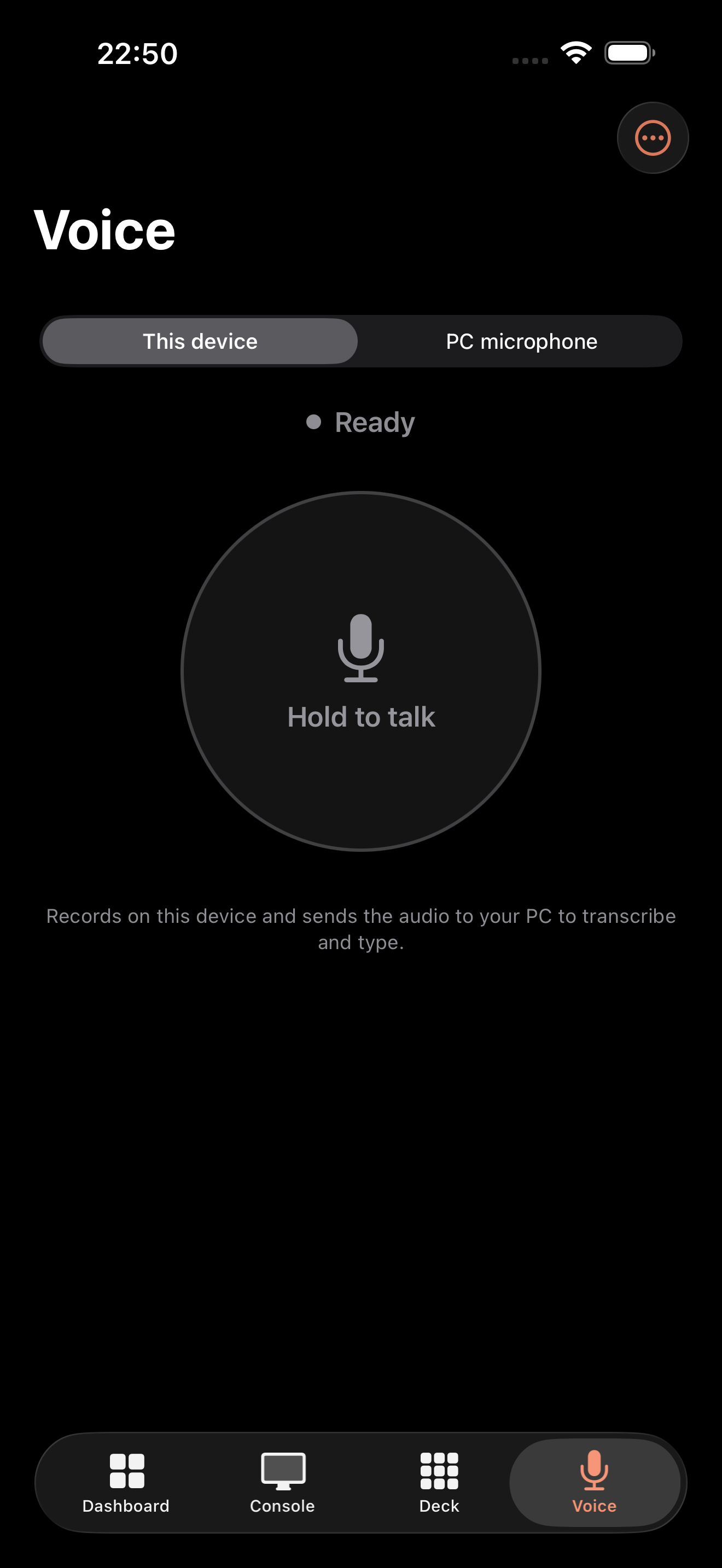
Hold to talk; your speech is transcribed and typed straight into the session. A killswitch cancels anything mid-flight.

🔔

Notifications

Get alerted when the session needs your input, finishes a turn, or reaches a usage limit — even when the app is in the background.

See it in action

Connect once, then monitor and drive your session from anywhere on your network.

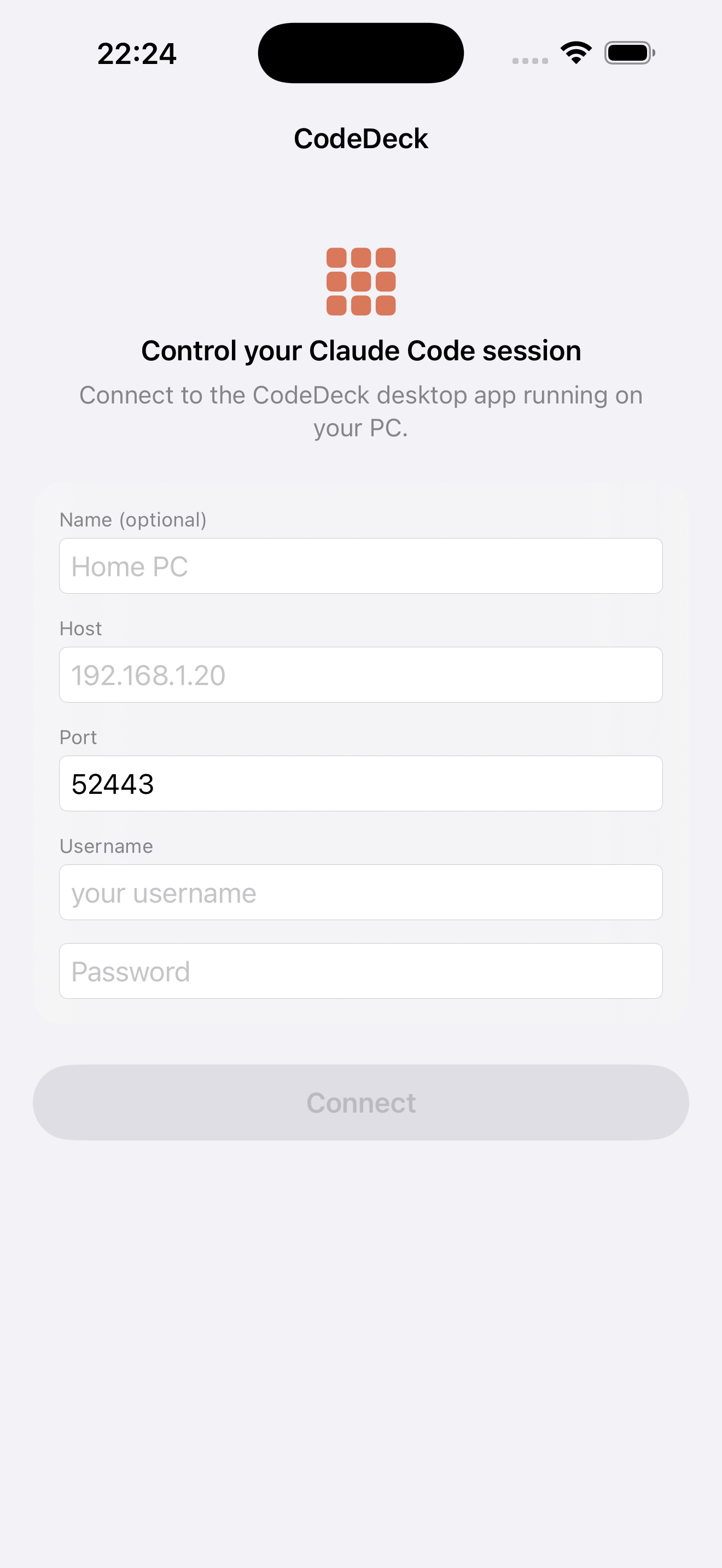
Connect screen
Connect securely
Dashboard screen
Dashboard
Deck mirror screen
Deck mirror
Live console screen
Live console
Voice input screen
Voice input

Made for iPad, too

The same remote and live console, with room to breathe on the bigger screen.

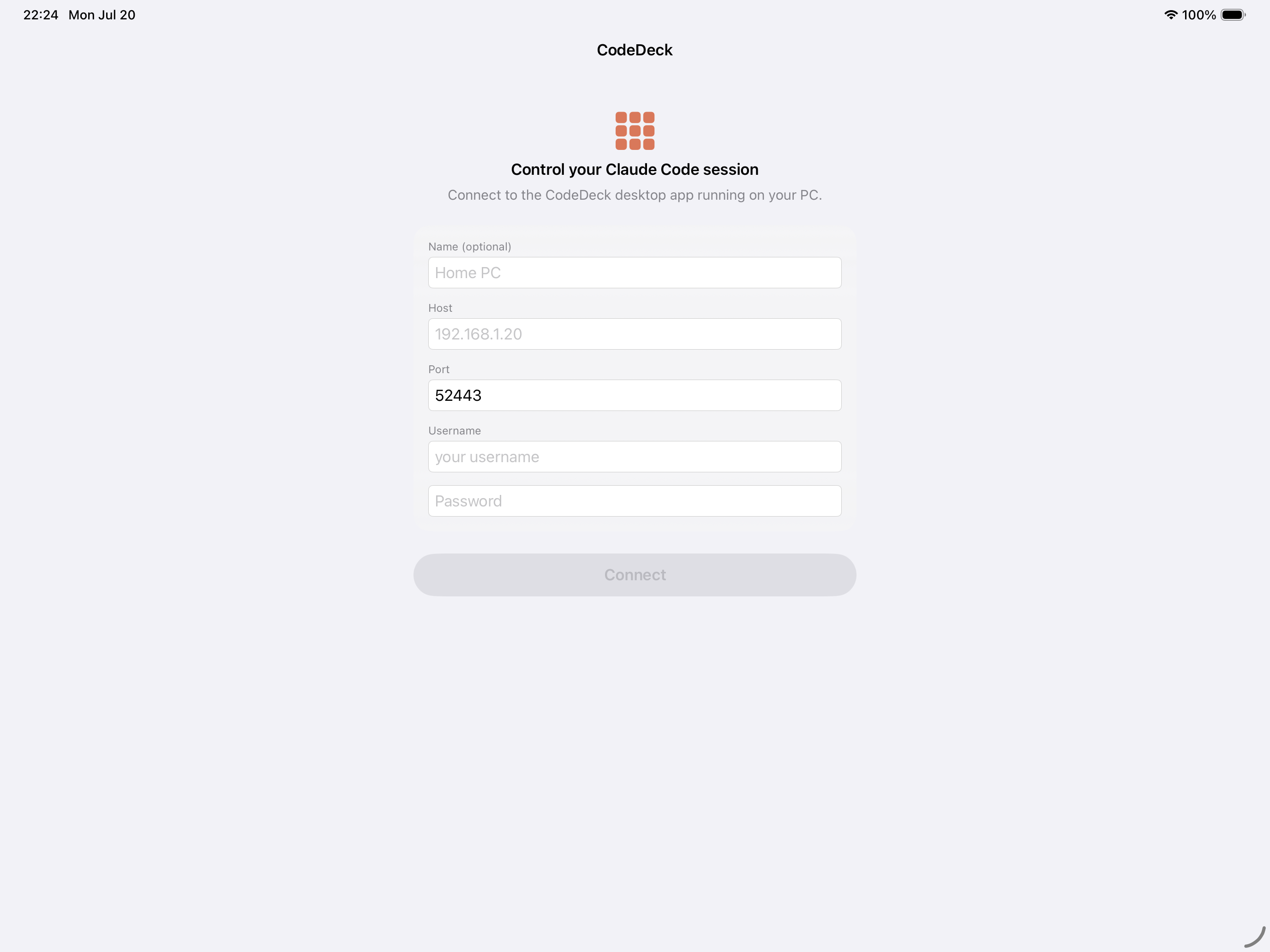
Connect screen on iPad
Connect securely
Dashboard screen on iPad
Dashboard
Deck mirror screen on iPad
Deck mirror
Live console screen on iPad
Live console
Voice input screen on iPad
Voice input

One hub, every surface

The desktop app is the heart of Code Deck. It drives your Claude Code session and your Stream Deck — and doubles as a private server that every other client connects to.

Code Deck architecture The Code Deck desktop app runs on your Windows PC, connects to the Claude Code terminal and a Stream Deck over USB, and serves iPhone, iPad, Mac, and web clients over an encrypted local-network connection. YOUR WINDOWS PC keystrokes · hooks USB HID encrypted · your LAN Claude Code terminal session Stream Deck XL USB control surface Code Deck Desktop app Web API · SignalR YOUR DEVICES · SAME NETWORK iPhone iPad Mac Web browser

Turn on Remote Access and your phone, tablet, Mac, and any browser all see and control the same live session — pushed in real time. There's no cloud in the middle: clients talk directly to your PC over an encrypted, certificate-pinned connection you approve once.

Your Stream Deck, turned into mission control

Code Deck maps an Elgato Stream Deck XL — 32 keys — onto a live Claude Code session. Glance at status, fire commands, and steer the session without touching the keyboard.

Stream Deck XL key layout An 8-by-4 grid of keys. The top row is a status dashboard ending in the Claude state key. Row two holds controls and the push-to-talk key. The lower rows show system-performance tiles and an arrow pad.

Status dashboard row

The top row shows the model in use, context window remaining, your 5-hour and weekly limits, and where the session's cwd is — updated live from Claude Code hooks.

Claude state key

The far-right key reflects whether Claude is idle, working, or waiting on you. Tap it to focus the terminal; hold it to launch a fresh Claude session.

One-touch pickers

Dedicated keys open overlays to switch model, permission mode, reasoning effort, git branch, and skills — plus Enter, Stop (Esc), and Settings, always one press away.

Command macro pad

The COMMANDS key fills the lower rows with your own buttons — each types any command or prompt, with its own icon and pressed/released colors. Page through as many as you like.

Live system monitor

When no overlay is open, the lower-left keys paint live CPU, RAM, disk, network, and GPU tiles — a glanceable readout of the machine right on the deck.

Arrow pad & voice

An arrow D-pad navigates Claude's menus, and the rightmost key is push-to-talk: hold to record, release to transcribe and type. Both live on the deck's lower rows.

Everything the deck does is driven by watching Claude Code's hooks and statusline, and by injecting keystrokes into your terminal — so the keys always reflect the real session, and pressing one is exactly like typing it yourself.
In any browser: the live web dashboard

Flip on Remote Access and the desktop app serves a full dashboard — nothing to install, just open the address on your network.

Web dashboard mockup A browser window showing status tiles across the top, a live terminal console on the left, and a mirror of the Stream Deck keys on the right. https://192.168.1.20:52443
🌐

Zero install

The dashboard is served by the same app as a Blazor WebAssembly page. Open the HTTPS address in any modern browser on your network and sign in.

Real-time, same session

Status, context, limits, and system stats stream in over SignalR — the exact same live data the deck and mobile apps see, with no refresh.

🖱️

Full control + console

Run every picker, press deck-mirror keys, fire command buttons, and drive a live terminal console with mouse and keyboard — voice too, from any mic.

Private by design

Code Deck talks only to your own computer. There is no developer backend to send anything to.

No accounts, no analytics

No sign-ups, no tracking SDKs, no ads. We never receive your data.

Direct & encrypted

A certificate-pinned TLS connection straight from your device to your own PC.

Stays on device

Server address and credentials live in the iOS Keychain — and only there.

Read the full privacy policy →

Get started in three steps

You'll need the Code Deck desktop app running on your Windows PC.

Enable remote access on your PC

In the desktop app, open Settings → Web API / Remote Access, enable it, and note the address, port (default 52443), and the username and password you set.

Connect from your device

Enter the host, port, username, and password in Code Deck on your iPhone or iPad, then tap Connect.

Trust the certificate once

Confirm the certificate fingerprint matches the one in the desktop Settings, then trust it. It's remembered for next time.

Code Deck is an independent tool that works with Claude Code. It is not affiliated with or endorsed by Anthropic.